
Assemble
In this page, we first create instances from the imported parts for 'frame' and 'air bag', move the air bag towards proper position, and then replicate airbags in each chamber of the manipulator frame.
Create instance
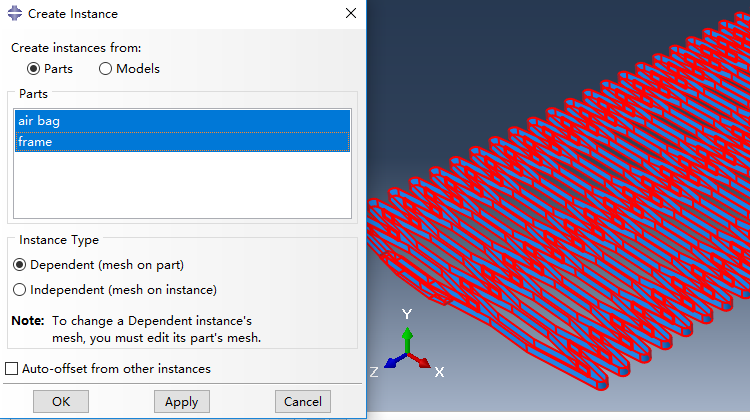
Instances are created from imported Parts named 'frame' and 'air bag' in page 'Part', and we select instance type as Dependent (mesh on part).
Position air bag
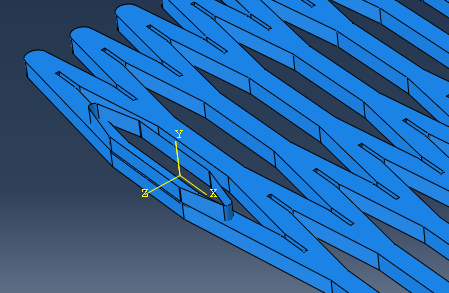
Now the airbag has to be positioned properly. Firstly, the air bag is rotated 90 degrees around x-axis, forming a result posture shown as below.
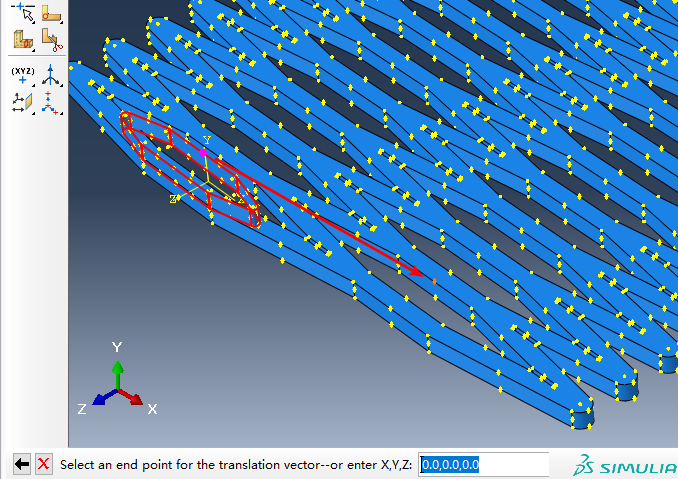
Next, the air bag should be translated into a chamber of the manipulator frame, which is implemented based on a translation vector from the magenta point towards the orange point illustrated below.
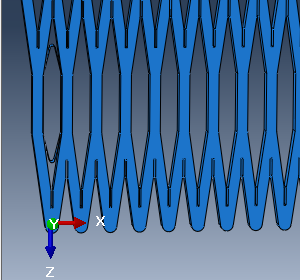
Then, we rotate the whole structure 90 degrees around y-axis, and the result is shown like this.
Linear pattern
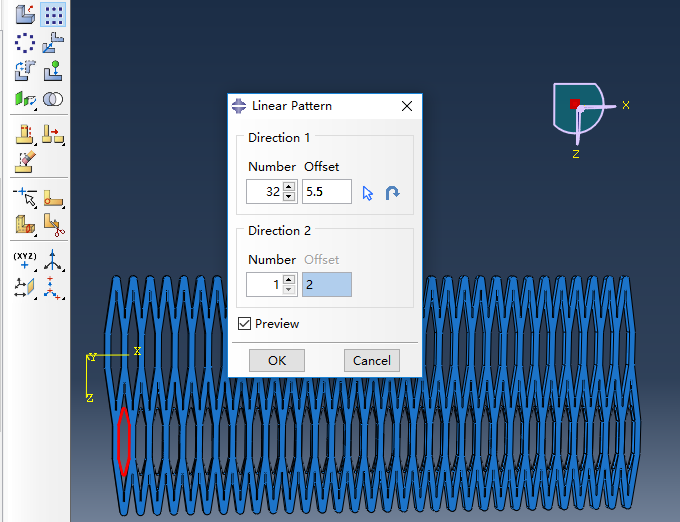
Last, airbags are generated using Linear pattern, and set the Number as 32, Offset as 5.5 in Direction 1.
Bibliography
Jiang et al. (2016) Design and Simulation Analysis of a Soft Elastomer Manipulator based on Honeycomb Pneumatic Networks.
Sun et al. (2016) FLEXIBLE HONEYCOMB PNEUNETS ROBOTS.
Jiang et al. (2017) A Two-Level Approach for Solving the Inverse Kinematics of an Extensible Soft Arm Considering Viscoelastic Behavior.
Jiang et al. (2016) Design and Simulation Analysis of a Soft Manipulator Based on Honeycomb Pneumatic Networks.
Giri et al. (2010) Continuum robots and underactuated grasping
Grissom, et al. (2006) Design and experimental testing of the OctArm soft robot manipulator.
Contributors
Hao Jiang
Zhanchi Wang
Xinghua Liu
Xiaotong Chen
Yusong Jin
Hao Sun
Xiaoping Chen