
Assign Properties
In this page, we will show detailed procedures of assigning material properties for frame and airbags.
Create Material: frame
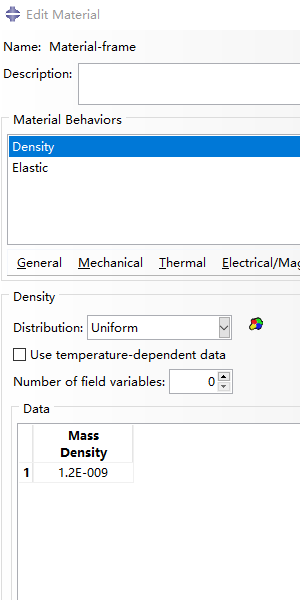
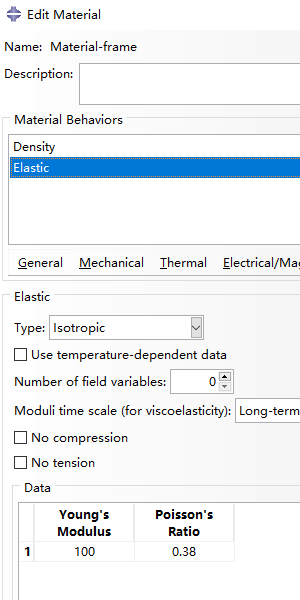
Firstly, we create a new material named 'Material-frame' for the frame. And set the following properties:
- General > Density:
- Density = 1.2e-9 Mg/mm³
- Mechanical > Elasticity> Elastic:
- Young’s Modulus = 100 MPa
- Poisson’s ratio = 0.38
| 
|
Create Material: airbag
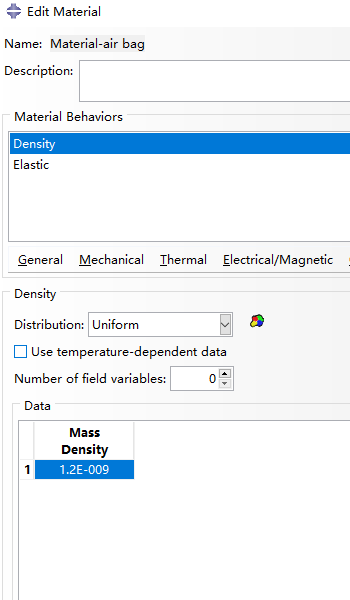
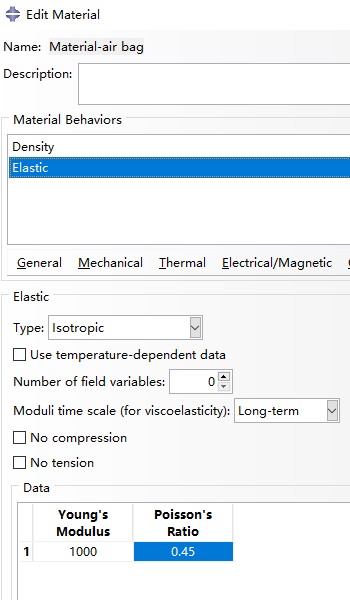
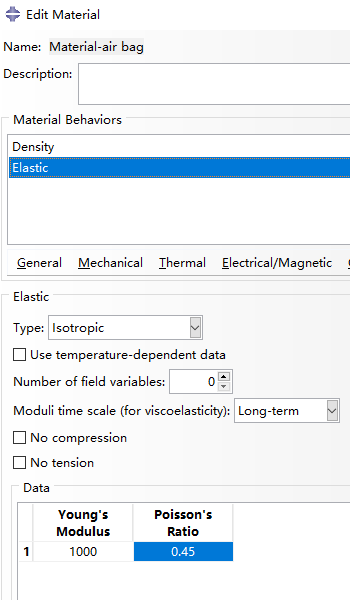
For the property of airbags inside named ' Material-air bag', set:
- General > Density:
- Density = 1.2e-9 Mg/mm³
- Mechanical > Elasticity> Elastic:
- Young’s Modulus = 1000 MPa
- Poisson’s ratio = 0.45
| 
|
Create Sections
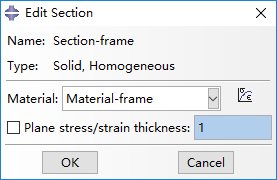
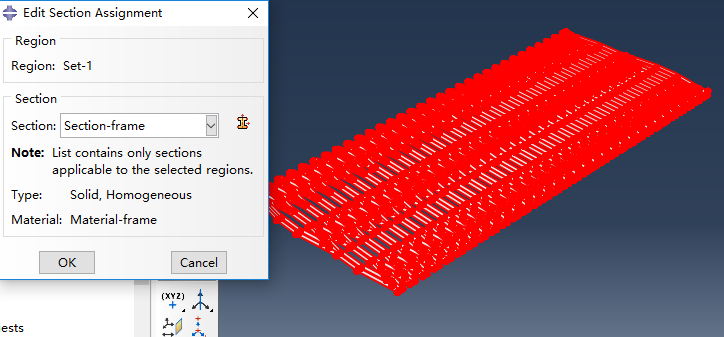
Double click on Sections in the model tree to create a new section. Set it to be a homogeneous solid and assign 'Material-frame' as its material.
| 
|
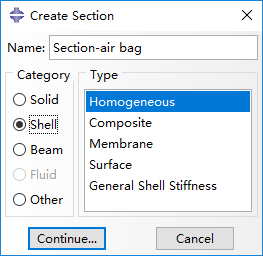
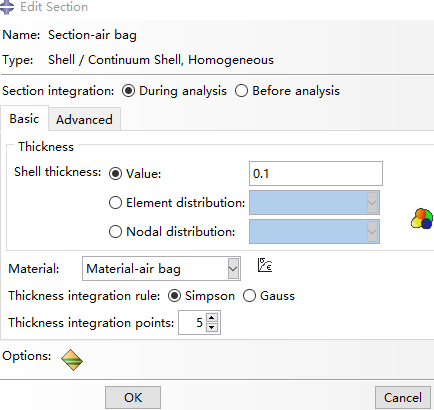
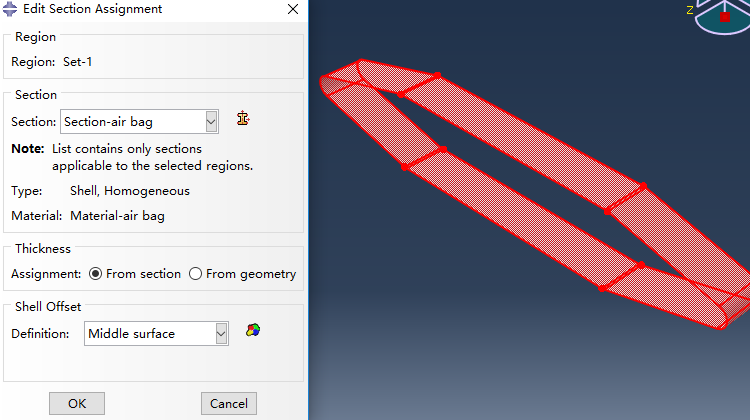
Create another section and set it to be a homogeneous shell and assign 'Material-air bag' as the material. Set the shell thickness as 0.1.
| 
|
Edit Section Assignment
Last, assign the section property to corresponding part by selecting the entire part geometry.
Bibliography
Jiang et al. (2016) Design and Simulation Analysis of a Soft Elastomer Manipulator based on Honeycomb Pneumatic Networks.
Sun et al. (2016) FLEXIBLE HONEYCOMB PNEUNETS ROBOTS.
Jiang et al. (2017) A Two-Level Approach for Solving the Inverse Kinematics of an Extensible Soft Arm Considering Viscoelastic Behavior.
Jiang et al. (2016) Design and Simulation Analysis of a Soft Manipulator Based on Honeycomb Pneumatic Networks.
Giri et al. (2010) Continuum robots and underactuated grasping
Grissom, et al. (2006) Design and experimental testing of the OctArm soft robot manipulator.
Contributors
Hao Jiang
Zhanchi Wang
Xinghua Liu
Xiaotong Chen
Yusong Jin
Hao Sun
Xiaoping Chen